
Reviews
Sunny Day Fashion Designer offers a relaxed space for children to explore fashion and color coordination. The sunglasses design tool is surprisingly detailed, with many frame and decoration options. The wardrobe section encourages thoughtful matching without being strict. Bright, cheerful graphics and simple touch controls make it easy for even preschoolers to play independently. The lack of timers or scores means kids can focus on creativity. It is an excellent choice for quiet afternoons or as a screen-time activity that feels productive.
About this game
Design Studio Basics
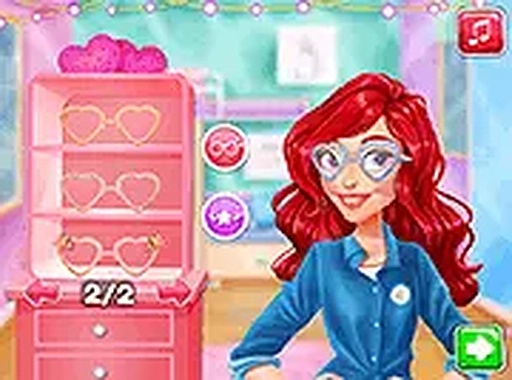
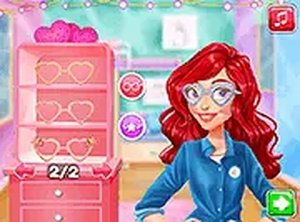
Players begin by selecting a character to style. The main activity involves building sunglasses from scratch using a variety of frame shapes, lens colors, and decorative elements like tiny stars or flowers. Each choice changes the look, encouraging experimentation. The interface uses large buttons and clear icons, making it simple for young players to navigate. There is no wrong way to design, so children can freely mix and match without fear of mistakes.
Coordinating the Complete Look
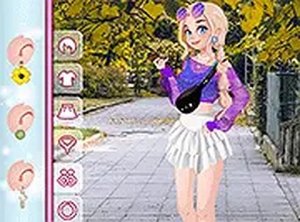
After finishing the sunglasses, the focus shifts to the wardrobe. Here, players choose tops, skirts, shoes, and accessories that complement the accessory they just created. The game gently suggests color matching but never forces a specific combination. This section teaches basic fashion coordination in a low-pressure environment. Children learn to see how different pieces work together, building an eye for style over time.
Visual Style and Atmosphere
The graphics use warm, sunny colors with soft outlines and friendly character designs. Backgrounds feature beach scenes, palm trees, and bright skies that reinforce the vacation mood. Animations are smooth but minimal, keeping the experience calm rather than distracting. The overall tone is upbeat without being overwhelming, suitable for quiet play sessions or group activities where siblings can take turns designing.
Controls and Accessibility
All interactions happen through simple point-and-click or touch inputs. Players drag items to try them on, click buttons to change colors, and tap to confirm choices. A hint button appears on screen if someone needs guidance, but the game never penalizes for skipping it. Full-screen mode is available for better visibility, especially on smaller devices. No reading skills are required, as most options are shown through pictures.
Creative Freedom Without Pressure
There are no timers, scores, or levels to complete. Players can spend as long as they like on each design, trying every combination available. This open-ended structure encourages repeated play, as each session can produce a completely different look. The lack of failure conditions makes it particularly suitable for young children who are still developing fine motor skills and patience.







Comments
Sign in to leave a review
No account? Create one
No comments yet.