
Reviews
Style Studio: Daily Outfit Creator succeeds by removing all pressure from the dressing process. The interface is clean and responsive, letting players focus entirely on color and pattern combinations. The wardrobe offers enough variety to support many sessions without feeling repetitive. The absence of ads and timers creates a genuinely relaxing atmosphere. It is a well-executed example of a simple idea done right.
About this game
Creative Wardrobe Exploration
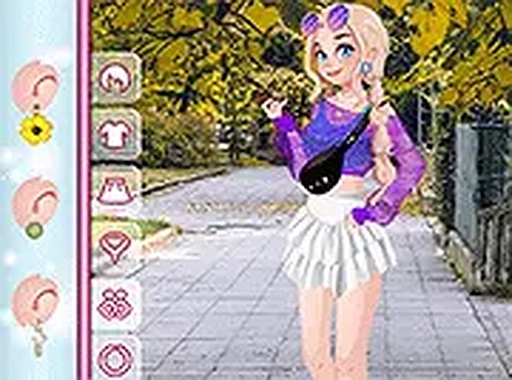
Style Studio: Daily Outfit Creator puts the focus on personal expression through clothing. Players begin with a blank canvas and a full closet of items. The selection includes tops in different cuts and colors, skirts and pants of varying lengths, and a range of footwear from sneakers to heels. Accessories like bags, hats, and jewelry add finishing touches. The goal is not to follow a prescribed path but to let individual taste guide each choice. This open-ended approach encourages trying combinations that might not occur in everyday dressing.
Simple Controls for All Ages
Interaction relies on straightforward point-and-click mechanics. On a computer, a mouse selects items from clearly labeled panels. On a tablet or phone, a tap on the screen does the same. The interface presents clothing categories in a logical order, making it easy to browse. There are no timers, scores, or failure states. This design ensures that anyone from young children to older adults can participate without frustration. The lack of complexity lets the creative process take center stage.
Visual Feedback and Style Discovery
Each selected item appears immediately on the character model, providing instant visual feedback. This real-time preview helps players see how different pieces work together. The color palette across the wardrobe is broad, allowing for monochrome looks or bold color clashes. Patterns such as stripes, florals, and solids add texture. Through experimentation, players learn basic principles of coordination and contrast. The game rewards curiosity by revealing unexpected pairings that look surprisingly cohesive.
Relaxed Atmosphere and Accessibility
The environment is intentionally calm. Soft background colors and gentle music (if present) support a stress-free experience. No advertisements interrupt the flow during play. The game runs directly in a web browser, requiring no installation or account creation. It functions on both desktop and mobile platforms, so players can switch devices easily. This accessibility means a session can last as long or as short as desired, fitting into any schedule.
Endless Combination Possibilities
With multiple options in each clothing category, the number of potential outfits is large. Players can return to the game repeatedly and still find new combinations to try. The variety ensures that no two sessions need to look the same. This replay value comes from the depth of the wardrobe rather than from any external rewards. The satisfaction lies in the act of creation itself, making each completed look feel like a small personal achievement.









Comments
Sign in to leave a review
No account? Create one
No comments yet.