
Reviews
Safe Sprint Duel delivers exactly what it promises: fast, head-to-head competition. The 20-second rounds keep tension high, and the tool mechanic adds a welcome strategic layer. The colorful graphics are pleasant and family-friendly. It is best enjoyed in short bursts with a friend, making it a solid choice for casual gaming sessions.
About this game
Race to the Vault
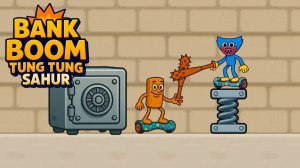
Safe Sprint Duel places two players side by side, each working to open their own vault. The core action revolves around rapid tapping or clicking. The first person to fully unlock their vault wins the round. This straightforward goal makes the game easy to pick up, but the short time limit keeps every moment tense. Players must maintain a steady rhythm while keeping an eye on their opponent's progress. The simple controls mean anyone can join, but mastering the pace takes practice.Strategic Tool Use
A key element in Safe Sprint Duel is the special tool each player can activate. Using this tool at the right moment briefly slows the opponent's progress. This creates opportunities to catch up or pull ahead. The tool adds a layer of strategy to what might otherwise be a pure speed contest. Players must decide when to use it—too early might waste its effect, too late might not help. Balancing tapping speed with smart tool timing is essential for consistent wins.Match Structure and Flow
Each round in Safe Sprint Duel lasts a maximum of 20 seconds. This tight time frame forces players to act quickly and stay focused. Matches are best played in short sessions, making the game ideal for quick breaks or casual gatherings. The fast pace means no round drags on, and players can immediately start a new match. The structure encourages repeated play, as each round feels like a fresh challenge. The game is designed for two players sharing a single device, promoting face-to-face competition.Visual Style and Atmosphere
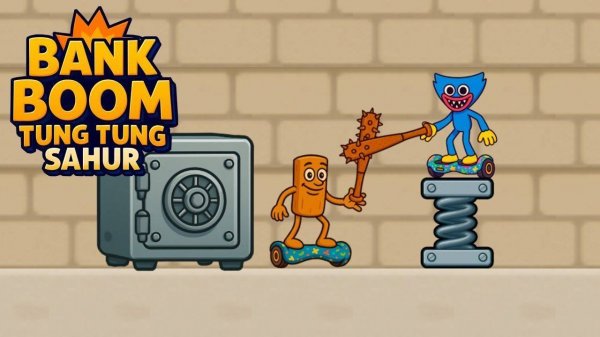
The game features colorful cartoon-style graphics that keep the mood light and family-friendly. Characters and vaults are drawn with a playful aesthetic, avoiding any intense or scary elements. The visual design supports the competitive nature of the game without feeling aggressive. Bright colors and simple animations make it easy to follow the action. The overall presentation is cheerful, making it suitable for players of all ages. The interface is clean, with clear indicators for each player's progress.Compatibility
This H5 game runs smoothly on:
• Desktop computers (Windows / Mac) • Mobile phones (iPhone / Android)
• Tablets (iPad / Android)
🌐 Best experienced with Chrome, Safari, or Edge
FAQ
Can I play Safe Sprint Duel alone?
Safe Sprint Duel is designed specifically for two players on the same device. There is no single-player mode or AI opponent. You need a friend or family member to play against. This focus on local multiplayer makes it a great party game.
What devices support Safe Sprint Duel?
The game is available on mobile devices and can also be played on computers. It uses touch or mouse input for the tapping action. The exact platforms depend on where you download it, but it is optimized for touchscreens.
How do I use the special tool in Safe Sprint Duel?
The tool is activated by a separate button or tap on your side of the screen. Using it at the right moment slows your opponent's progress for a short time. Timing is important because the tool has a cooldown period after each use.
Is there a way to practice tapping speed before playing?
The game does not include a dedicated practice mode. However, the simple mechanics mean you can learn quickly by playing a few rounds. The short match length allows you to improve your speed and timing through repeated play.
What happens if both players open their vaults at the same time?
In the case of a tie, the game may declare a draw or use a tiebreaker round. The exact rule depends on the version you are playing. Generally, the game is designed to have a clear winner in most rounds.
Can I customize my character or vault in Safe Sprint Duel?
The game does not include customization options for characters or vaults. All players use the same basic setup. This keeps the focus on skill and strategy rather than cosmetic differences. The simple design helps maintain a level playing field.



Comments
Sign in to leave a review
No account? Create one
No comments yet.